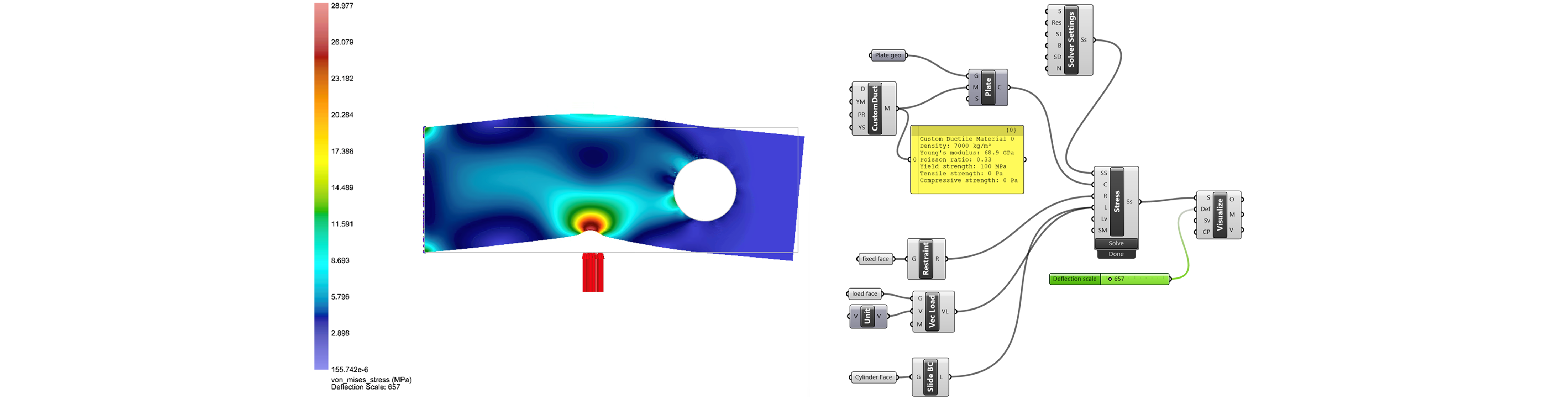
Ex-8: Cylindrical Sliding Boundary Conditions
The geometry and grasshopper files for this example are available for download
This example demonstrates how to use Sliding Boundary Conditions on a cylindrical face. This is useful when modeling a cylindrical hole that is free to rotate around a pin.
Geometry and material setup
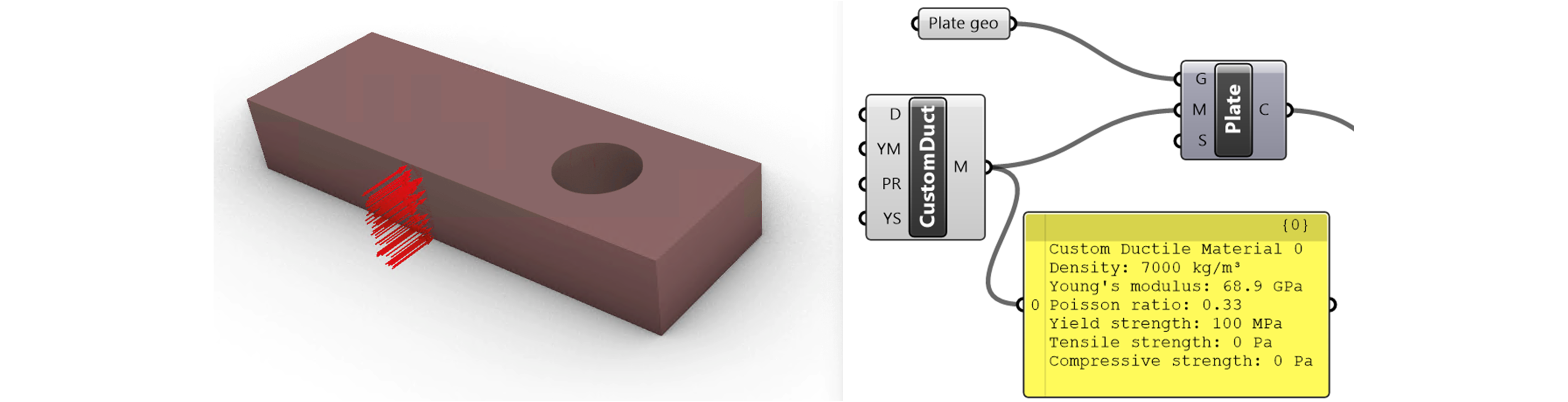
Open the model in Rhino, place intact components, reference geometry, and set material.
Boundary Condition setup
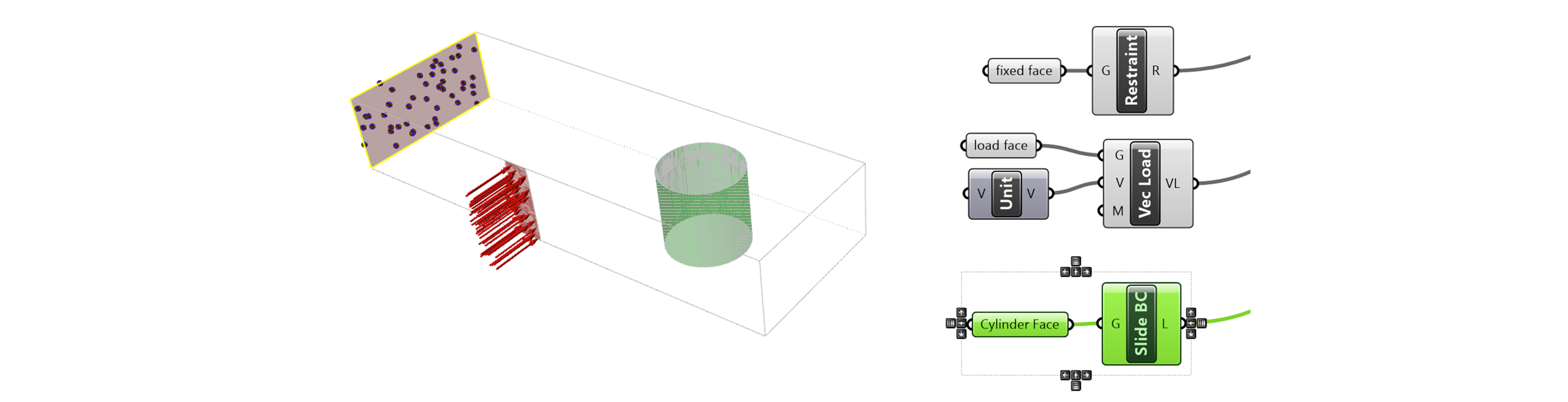
Next, we apply the boundary conditions. There is a fixed restraint, a vector load, and finally a cylindrical sliding boundary condition. The first two we have covered in another example. For the sliding boundary condition, import Sliding BC block to the Grasshopper canvas and specify the cylindrical face. Connect the Slide BC to the Load (L) input to the Stress Solver Block.
Setup solver and visualize
Connect Solver Setting Block and the simulation is ready to be solved. (Feel free to change the default solver setting parameters). Solve the simulation, connect it to a visualize block, and the stress distribution is ready to be seen. It is helpful to hide the geometry in rhino and turn off the geometry previews in Grasshopper to see the results the clearest.