Basic Operation
Run Grasshopper by typing Grasshopper at the Rhino command line
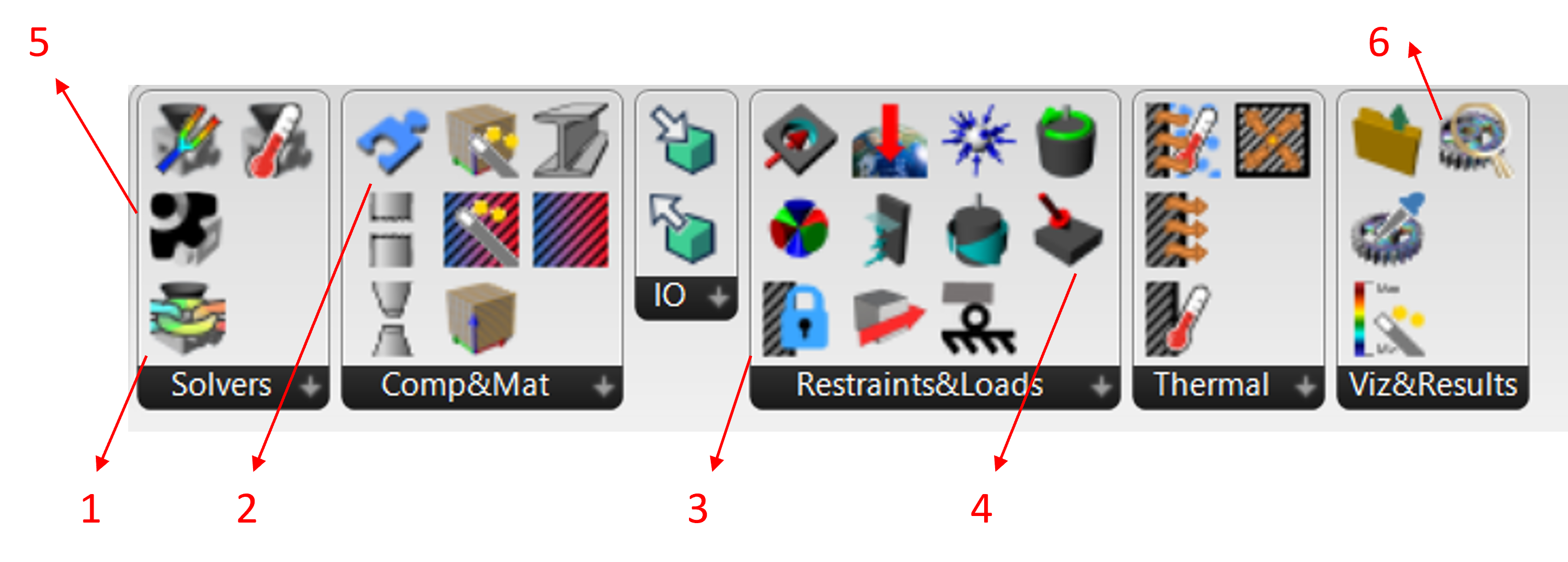
Navigate to the Intact.Simulation Toolbar in Grasshopper
Select a Solver for the the physics of interest (stress, thermal, modal)
Add components and assign material
Apply boundary conditions (restraints and loads)
Click Solve to compute simulation results
View results by connecting the results viewer
Stress Simulation quick start
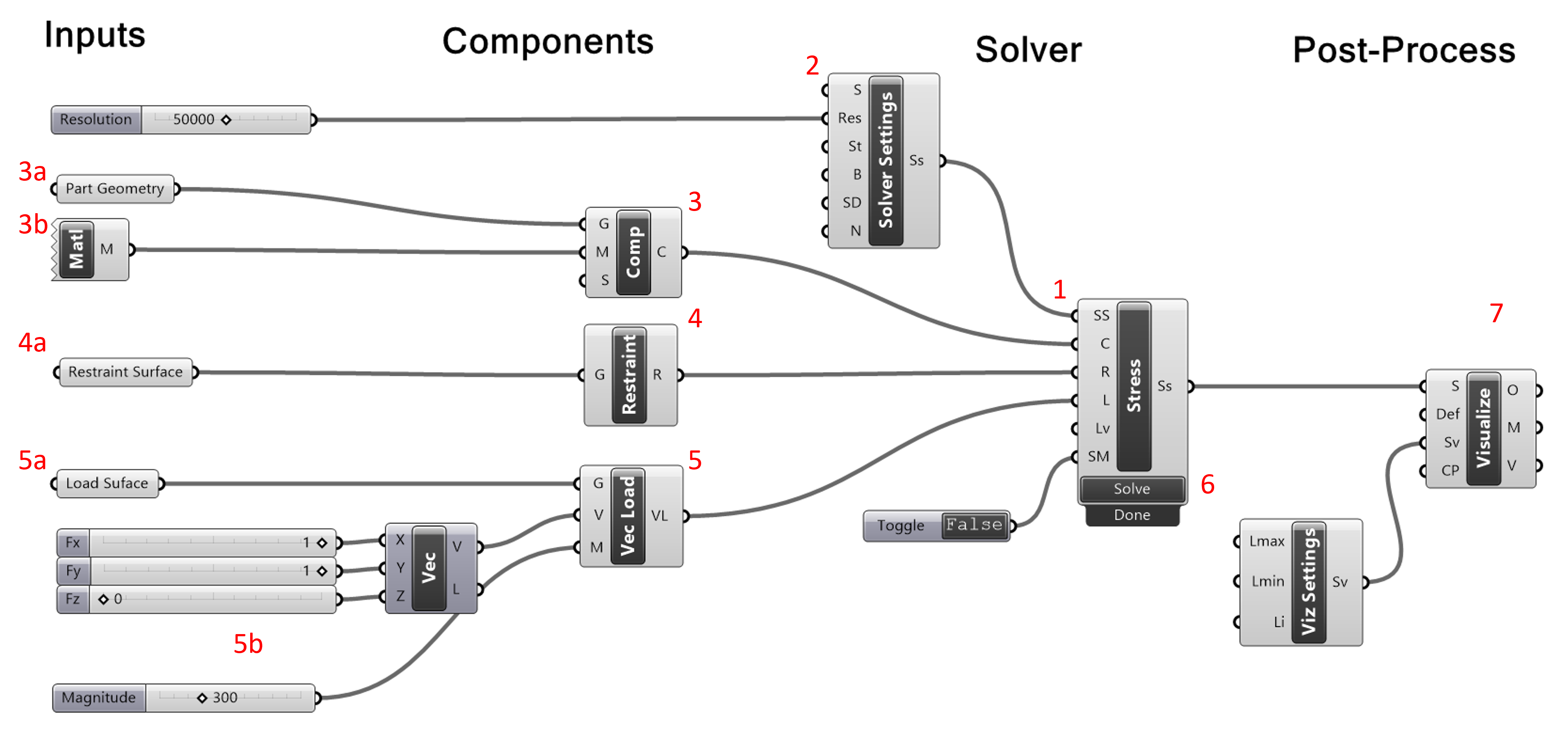
Insert stress solver block
Insert solver settings block to set resolution or grid size
Insert simulation component block
Specify geometry
Insert and connect material block
Connect components to stress solver
Insert restraint block
Specify surfaces to restrain
Connect restraints to stress solver
Insert surface load block of choice (vector load shown)
Specify surfaces to load
Specify load particulars (such as magnitude or direction)
Connect loads to stress solver
Click [Solve] on stress solver component (if Boolean is toggled “True” it will solve automatically)
Insert visualization block
Connect output of stress solver
Right click to select solution quantity of interest